CASE STUDY 03 · AI FITNESS APP · NABBA METHODOLOGY · CAPSTONE

FitLab — Scientific training, powered by AI + expert validation

A mobile MVP that brings the quality of a NABBA-certified personal trainer into an AI-driven app. From paper wireframes, through 6 qualitative interviews, to a fully documented product with 17 hi-fi screens and its own visual system — all in a 4-week sprint.

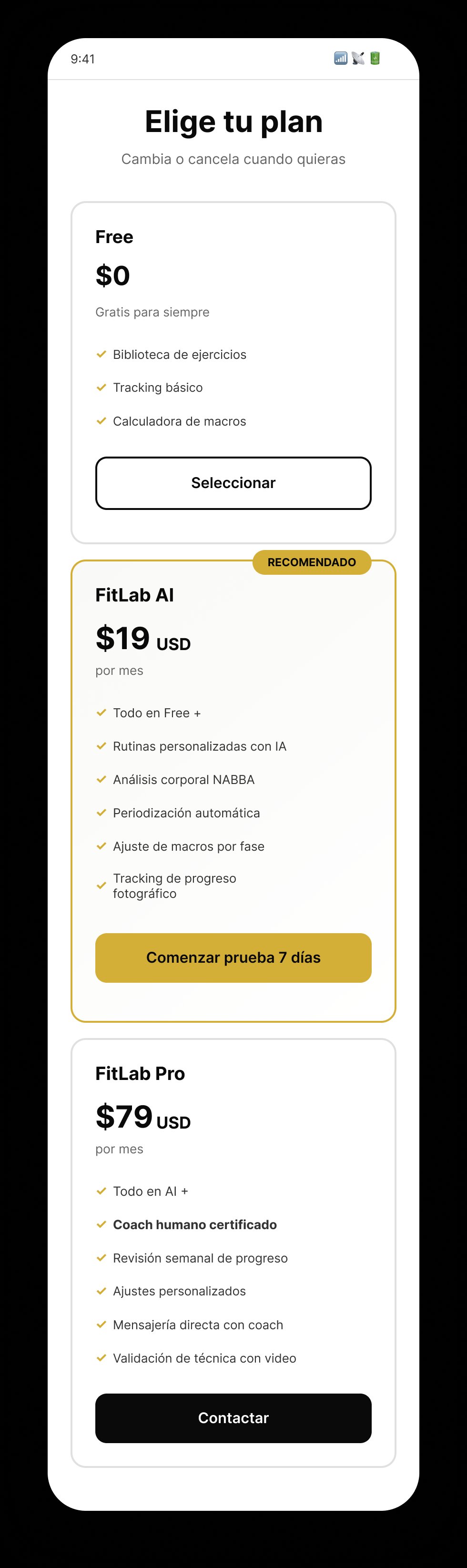
Delivered: 17 hi-fi screens, 3 subscription tiers, a complete design system, and 100% task completion in usability testing.

ROLE
UX/UI Designer · Solo lead
CONTEXT
Sprint 14 Capstone · TripleTen Bootcamp
DURATION
4 weeks · Full sprint end-to-end
TOOLS
Figma · FigJam · Paper wireframes
SKILLS
UX ResearchUser InterviewsAffinity Mapping Paper WireframingPersonasDesign System PrototypingMotion DesignNABBA Domain
PRODUCT IN MOTION

17 screens · 60fps transitions · Smart Animate + CSS

17Hi-fi screens
3Subscription tiers
<2Taps to log a set
100%Task completion

01 · THE PROBLEM

Precision training has always been reserved for those who can afford it. A certified NABBA personal trainer costs $200–500 USD per month — out of reach for 80% of the users I interviewed. Meanwhile, generic fitness apps ignore somatotype, body composition, and individual context, treating every user the same.

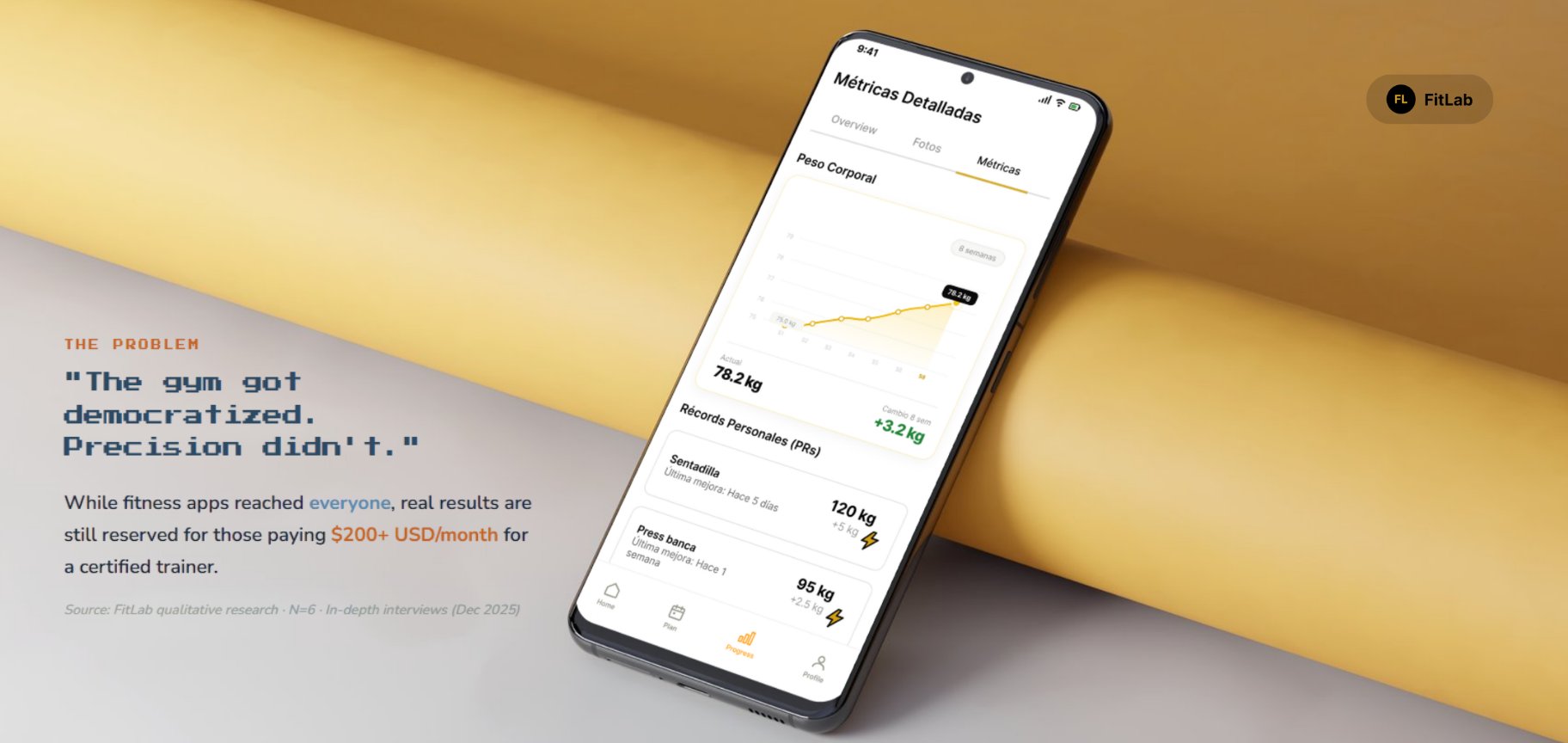
The gym got democratized. Precision didn't. While fitness apps reached everyone, real results are still reserved for those paying $200+ USD/month for a certified trainer.
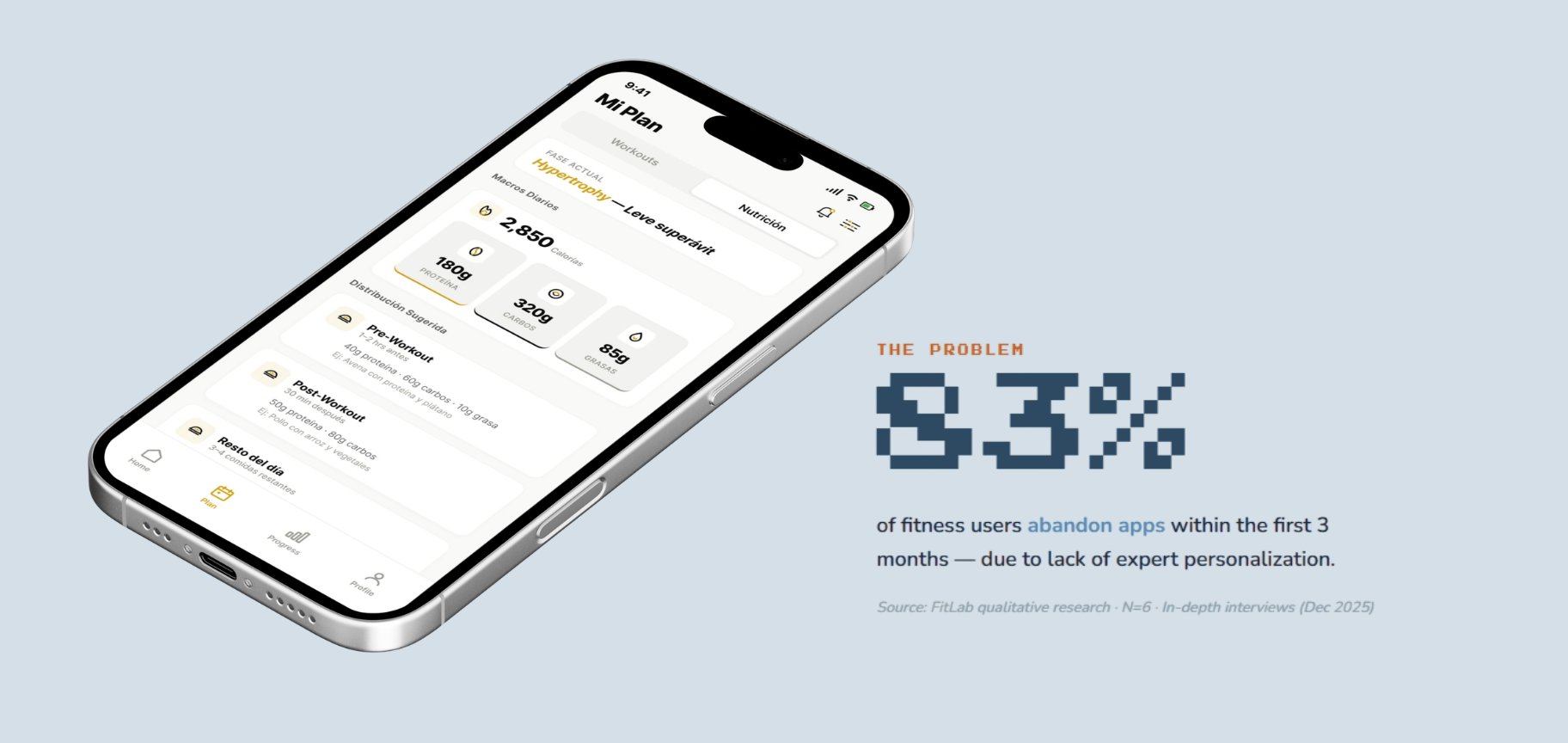
83% of fitness users abandon apps within the first 3 months — due to lack of expert personalization.
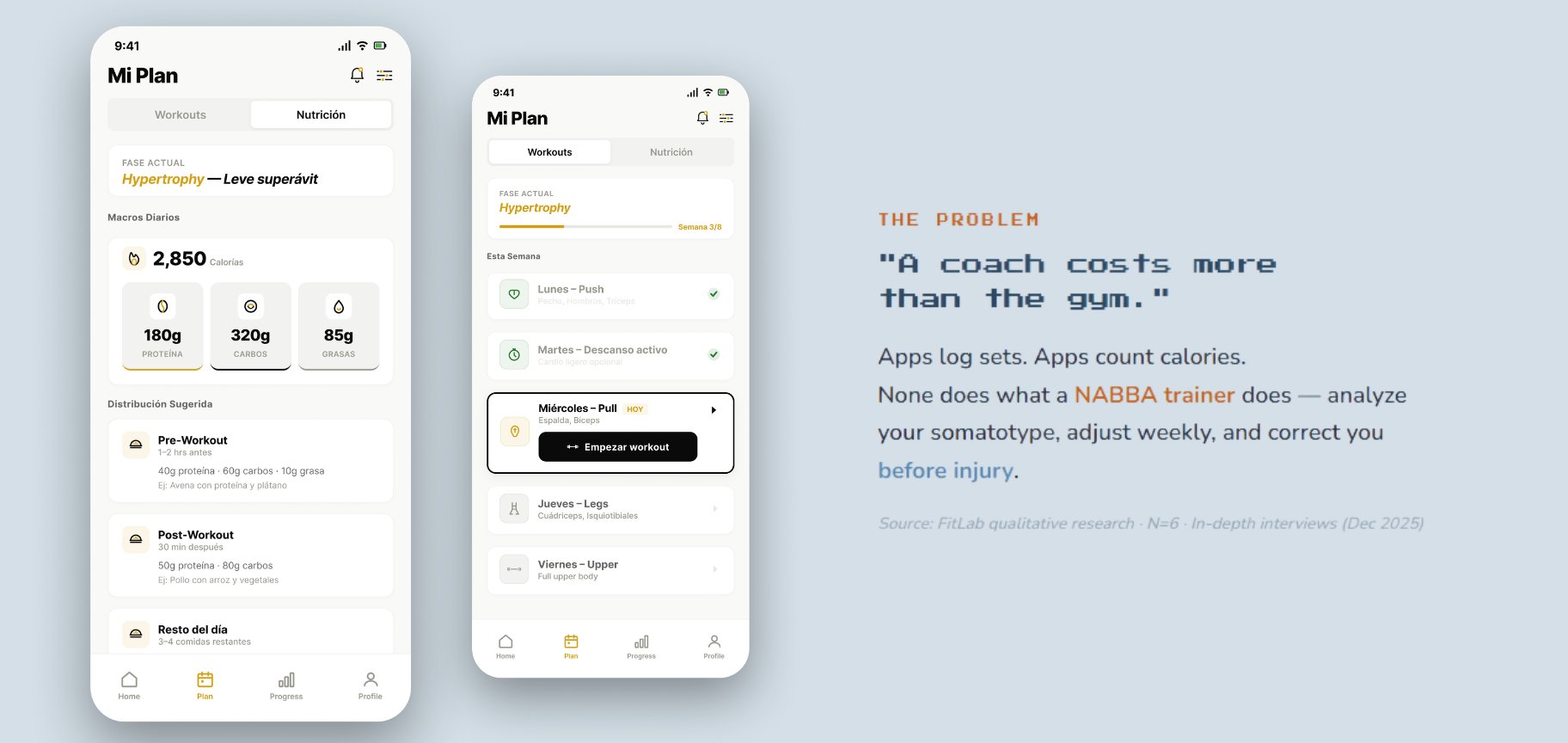
A coach costs more than the gym. Apps log sets. Apps count calories. None does what a NABBA trainer does — analyze your somatotype, adjust weekly, and correct you before injury.
HOW MIGHT WE

How might we give anyone with a fitness goal access to the same quality of analysis and planning that an elite athlete gets from a personal trainer — using AI + human validation?

Top 5 pain points from the field

Each pain point is paired with the participant count and a direct quote from the research corpus.

01

Scattered tools

"Excel + photos + apps = chaos"

83%
5 of 6
02

No expert validation

"I'm never sure if I'm doing the exercise right"

67%
4 of 6
03

Weak visual tracking

"There's no evidence of the process"

50%
3 of 6
04

Abandoned nutrition apps

"I got tired of logging everything"

33%
2 of 6
05

Need human contact

"Every participant uses an external coach or nutritionist"

100%
6 of 6

The pattern was clear: tools are fragmented, validation is missing, and the human layer is non-negotiable. No single app on the market was closing this loop.

02 · RESEARCH

Six in-depth qualitative interviews — recorded, transcribed, and synthesized through affinity mapping. Participants ranged from NABBA-certified trainers to recreational athletes and intermediate fitness users.

6
In-depth
interviews
181
Total minutes
recorded
~30
Min per
session
16
Insights
clustered

Method applied

Affinity diagram — 16 insights → 4 categories

Every raw insight from the 6 interviews was written on a card, clustered into themes, and validated. This became the backbone of the product's feature prioritization.

01
Tools
4 insights
Fragmented workflows — Excel, WhatsApp, photos, separate apps. No single source of truth.
02
Validation
3 insights
Distrust of pure AI. Users want a human — a certified expert — to validate the plan.
03
Tracking
4 insights
Visual evidence matters. Photos over numbers. No one keeps a real record of their process.
04
Friction
2 insights
Logging fatigue. Notification overload. Cognitive cost kills the daily habit.

Key findings — validated by research

Four data points that shaped every subsequent design decision:

100%

Need human validation

Every single participant — 6 of 6 — explicitly preferred human validation over AI-only recommendations.

83%

Scattered tools

5 of 6 users manage their training, nutrition, and tracking across 3+ separate apps or files.

67%

Weak visual tracking

4 of 6 users lack a clear way to see their physical evolution — no consistent photo timeline.

33%

Abandoned nutrition apps

2 of 6 quit tracking nutrition entirely due to logging fatigue — a clear adherence signal.

Synthesis — quotes organized by theme

Direct quotes from participants, grouped by the 4 emergent themes:

Tools4 insights

"I have folders with each person's name, the month, and every format"— César, NABBA trainer
"I fall short with Excel… I rely on videos and photos"— Barce, trainer
"Excel + scale + measurements + other apps"— Chasco

Validation3 insights

"I'd rather a person evaluate me, not an app"— Jesús
"An AI routine felt cool, but it depended on human experience"— Andrés
"I always end up going back to a specialist nutritionist"— Barce

Tracking4 insights

"There's no record of the process, no registration"— Chasco
"I recommend they take photos, but they don't keep them"— Barce
"They show me photos to see progress"— César

Friction2 insights

"I'd need to check in every day… all those alerts are exhausting"— Jesús (Memo)
"Early on, identifying the app feels complex"— Moisés

Three user personas — built from the corpus

From the 6 interviews, three archetypes emerged. Each persona includes real quotes, real tools they use today, and the gap FitLab needed to close for them.

NABBA Competitor
Carlos
32 · León, GTO · 8 years training
Goals
  • Optimize peak week for competition
  • Follow NABBA science-based protocols
  • Document progress with precise metrics
  • Pain points
  • Info scattered across folders and formats
  • Hard to track routine variables
  • Needs expert validation during prep
  • "If there was software that helped me keep everything in one place — it would make me better, faster, easier."

    Certified Trainer · Primary target
    Roberto
    36 · GDL, JAL · NABBA · 8 clients
    Goals
  • Scale his client roster without losing quality
  • Transmit exercise technique correctly
  • Differentiate himself with professional service
  • Pain points
  • Excel is too limited for routine variables
  • Relies on video + photos sent separately
  • Fragmented communication with clients
  • "I come up short with Excel when transmitting technique correctly… the variables in the routine just don't fit."

    Recreational Athlete
    Miguel
    26 · GDL, JAL · 5 years training
    Goals
  • Improve body composition consistently
  • Follow routines with minimal friction
  • Feel confident his plan actually works
  • Pain points
  • Distrusts 100% AI-generated recommendations
  • Notification overload makes him quit apps
  • Doesn't know which muscles to prioritize
  • "I'd rather a person evaluate me… maybe my body just can't achieve certain goals an AI proposes."

    03 · DESIGN PROCESS

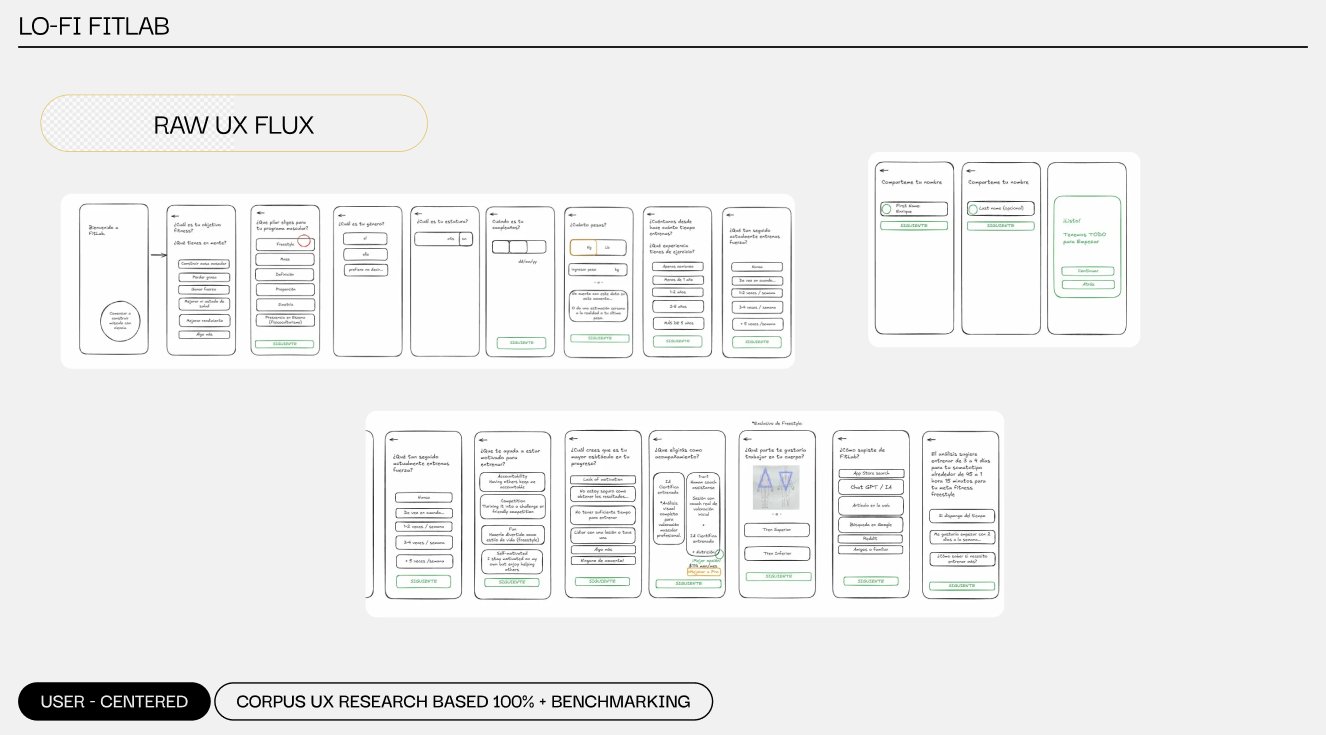
    Before opening Figma, I mapped the entire experience on paper. Hand-drawn wireframes let me think about hierarchy, flow, and decision points without getting distracted by visual polish — a method I pulled directly from NNGroup's Design Thinking discipline.

    Raw UX Flux — paper-first wireframes

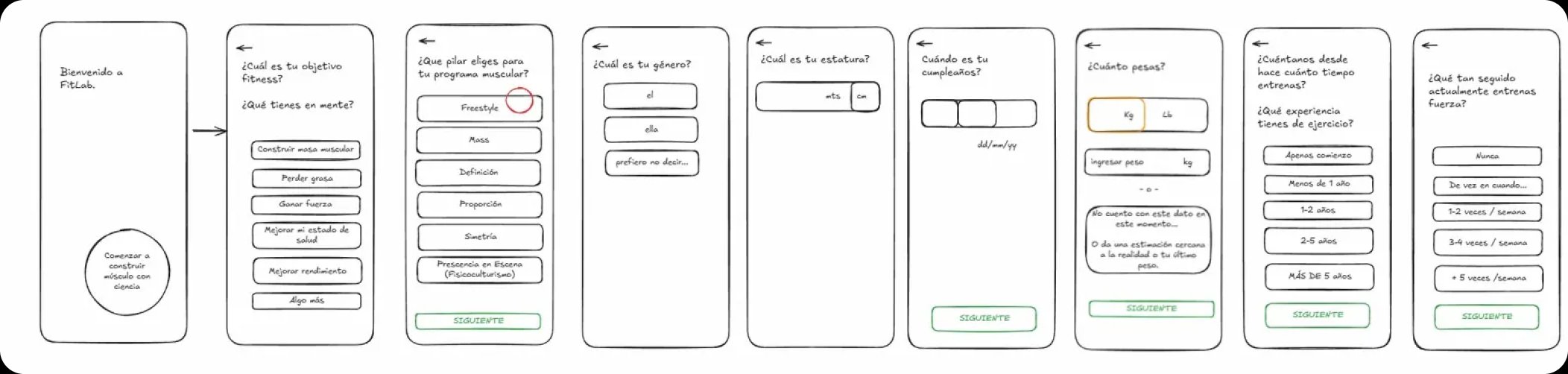
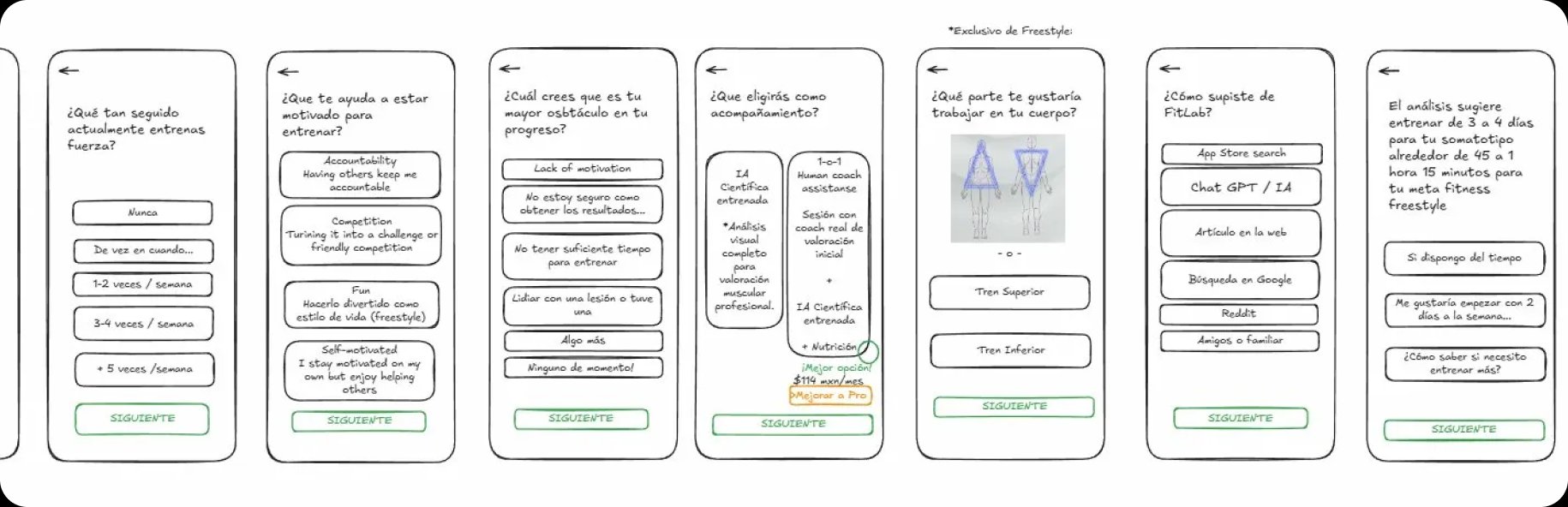
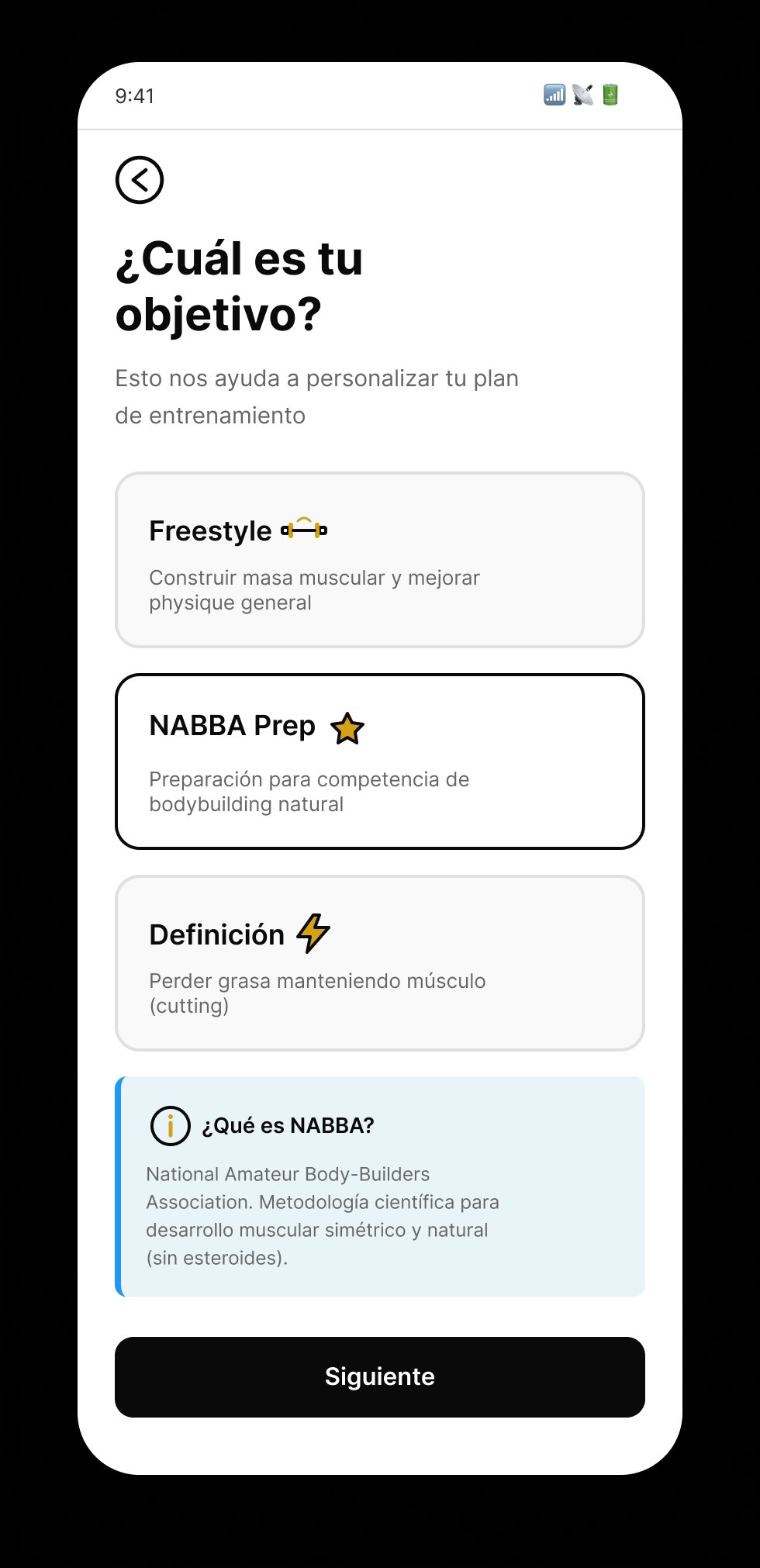
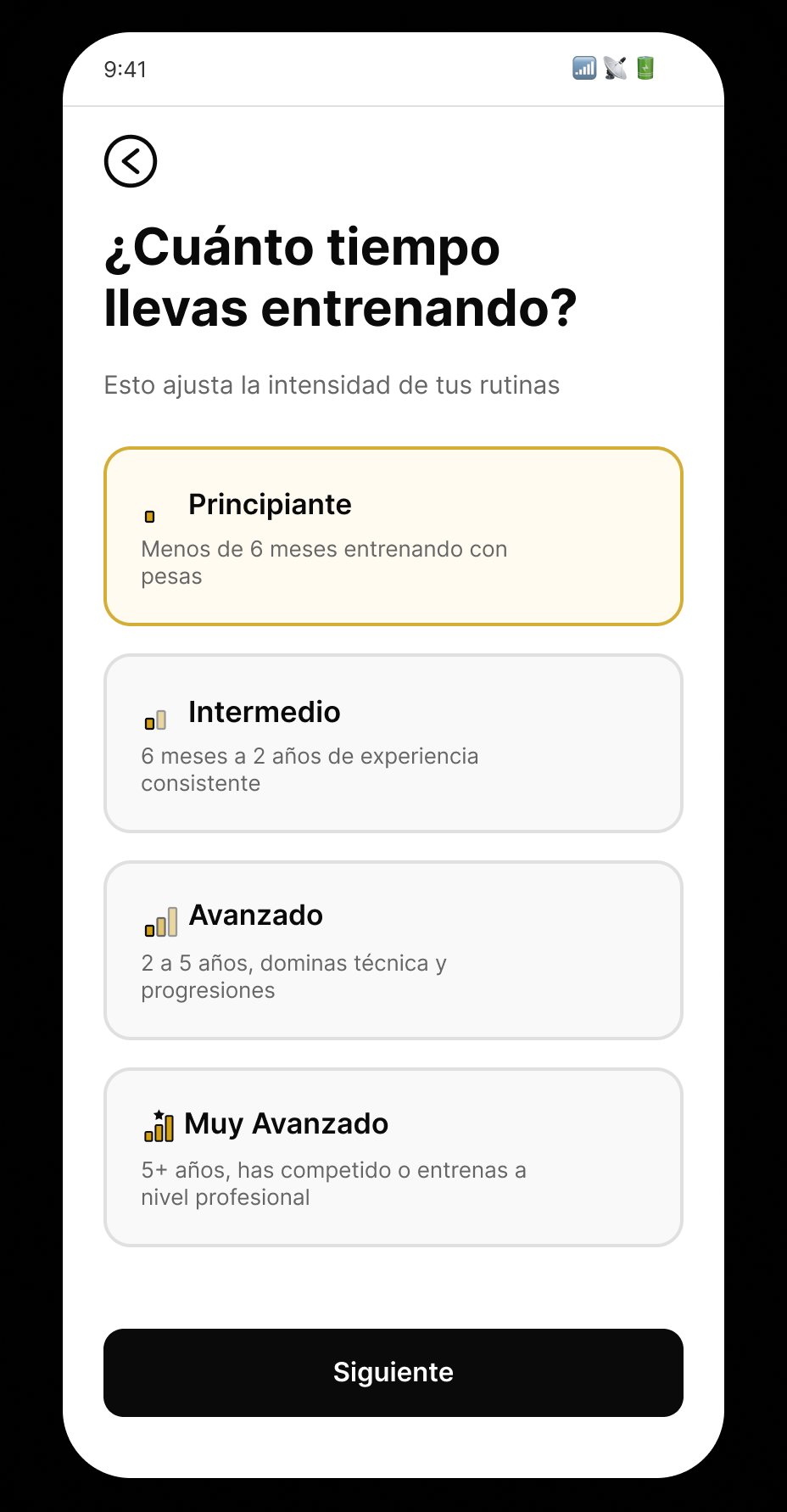
    The full product flow sketched by hand: onboarding, objective selection, level, photo capture, motivation, accompaniment preference, and more than 15 decision points. Every screen in the final product traces back to a frame in this flux.

    Raw UX flux — hand-drawn wireframes of the complete FitLab onboarding flow
    Raw wireframes — onboarding screens with goal and body measurement inputs
    Raw wireframes — motivation and accompaniment preference screens

    User-centered · Corpus UX research-based · Benchmarking-validated

    Mid-fidelity wireframes — validating the flow

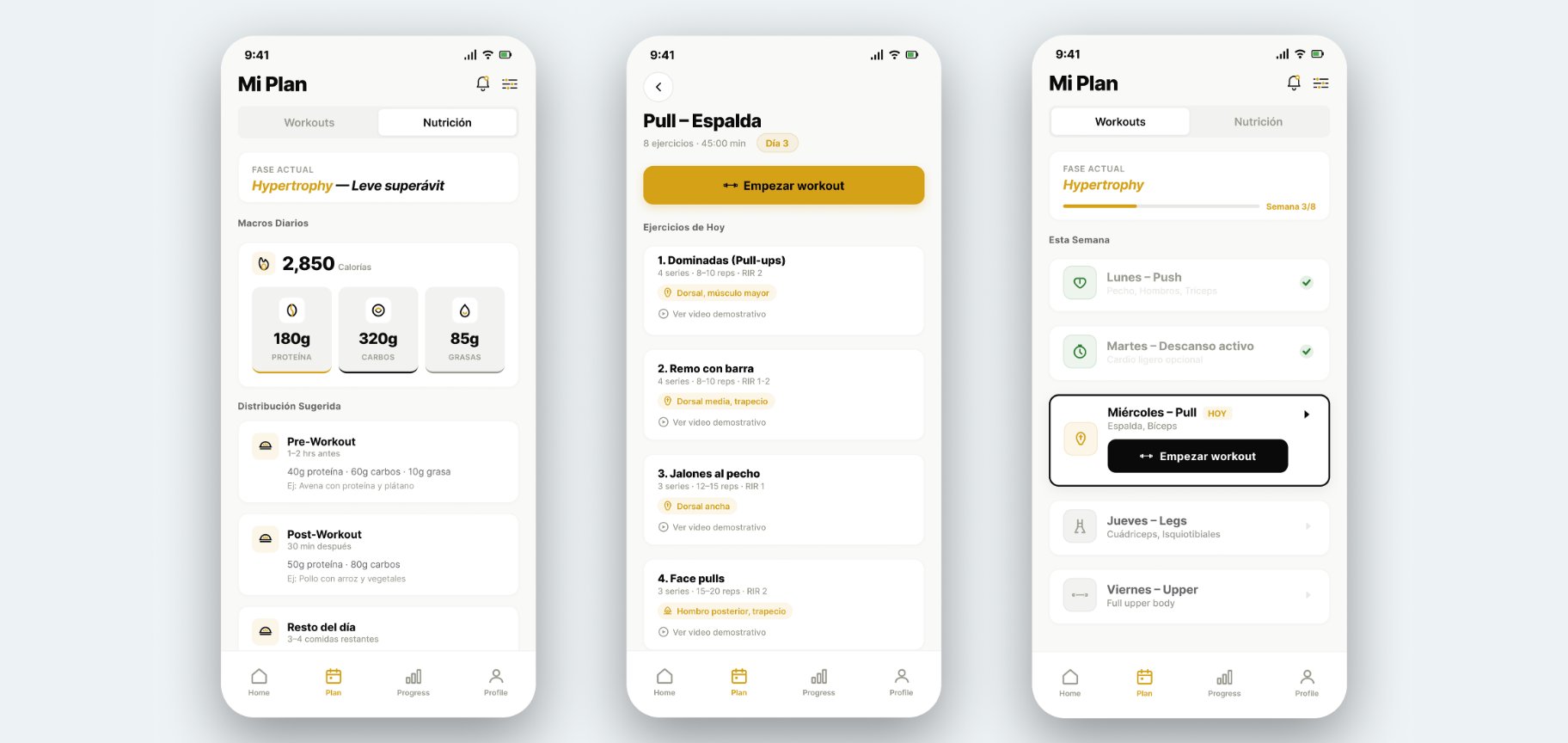
    Before jumping to hi-fi, I iterated on three mid-fi wireframes to validate the structure of the most critical screens: daily nutrition, workout detail, and weekly overview. Mid-fi lets you test hierarchy and information density without committing to the visual system yet.

    Three mid-fidelity wireframes — Mi Plan Nutrition, Pull Espalda workout detail, and weekly overview
    W09

    Mi Plan · Nutrition

    Active phase, daily macros, pre/post workout distribution. Key decision: surface calories before macros to reduce cognitive load during the training window.

    W10

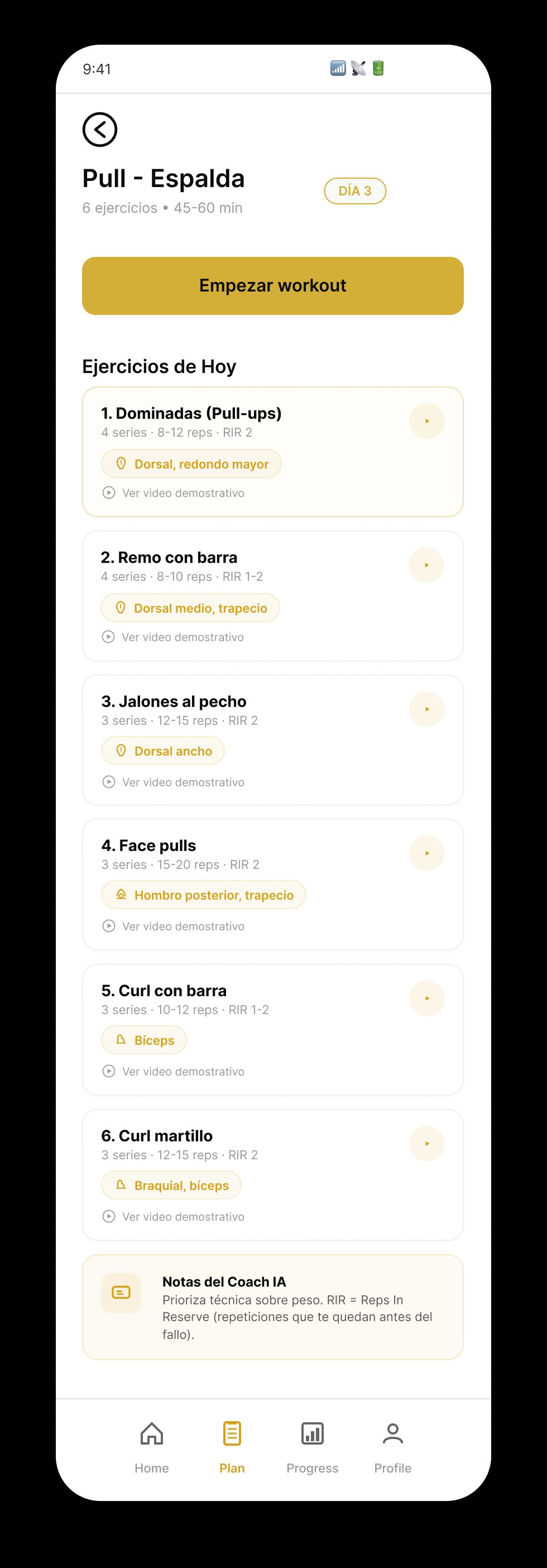
    Pull — Espalda

    List of 8 exercises with gold muscle tags, primary CTA to start workout, secondary to preview video. Test hypothesis: less than 2 taps to begin a set.

    W08

    Weekly Overview

    Progress visible at first tap. Micro-copy "HOY" anchors temporal context. Completed states with cyan check for positive reinforcement without celebration overload.

    The pivot: from "AI solo" to "AI + Expert"

    My first hypothesis was an AI-only product — faster to build, lower cost, scalable. Then the research said something the product direction couldn't ignore:

    RESEARCH FINDING

    100% of participants prefer expert human validation over pure AI recommendations.

    AI Solo
    Algorithms without human validation generate distrust
    AI + Expert
    Human validation layered on top of intelligent recommendations

    This single finding reshaped the entire product architecture. The Pro tier — with a certified NABBA coach reviewing every AI analysis — wasn't a "premium feature" anymore; it was the trust layer the whole product depended on.

    Design Thinking · 4 phases · 4 weeks

    01
    Discover
    • 6 in-depth interviews
    • Benchmark of 5 competitors
    • Hypothesis validation
    • Corpus UX documentation
    02
    Define
    • Affinity mapping (16 insights)
    • 3 user personas
    • HMW statement
    • Job stories + critical flows
    03
    Design
    • Paper wireframes (lo-fi)
    • UI kit + design tokens
    • 17 hi-fi screens
    • Component system + Smart Animate
    04
    Test
    • Clickable prototype
    • Usability validation (N=3)
    • 100% task completion rate
    • Iteration backlog for v2

    Clickable Figma prototype → real users

    Beyond the metrics cards above, I built a clickable Figma prototype of the full flow and walked a handful of users through it — qualitative feedback only, not instrumented metrics. The main takeaways informed the focus-mode iteration and the 2-tap logging decision documented in the Learnings section.
    04 · SOLUTION · THREE LAYERS

    The product breaks into three functional layers — each one designed to close a specific research gap. Together they form the "AI + Expert" loop that differentiates FitLab from every competitor I benchmarked.

    01

    Scientific body analysis

    Closes the gap: "generic apps ignore my body composition"

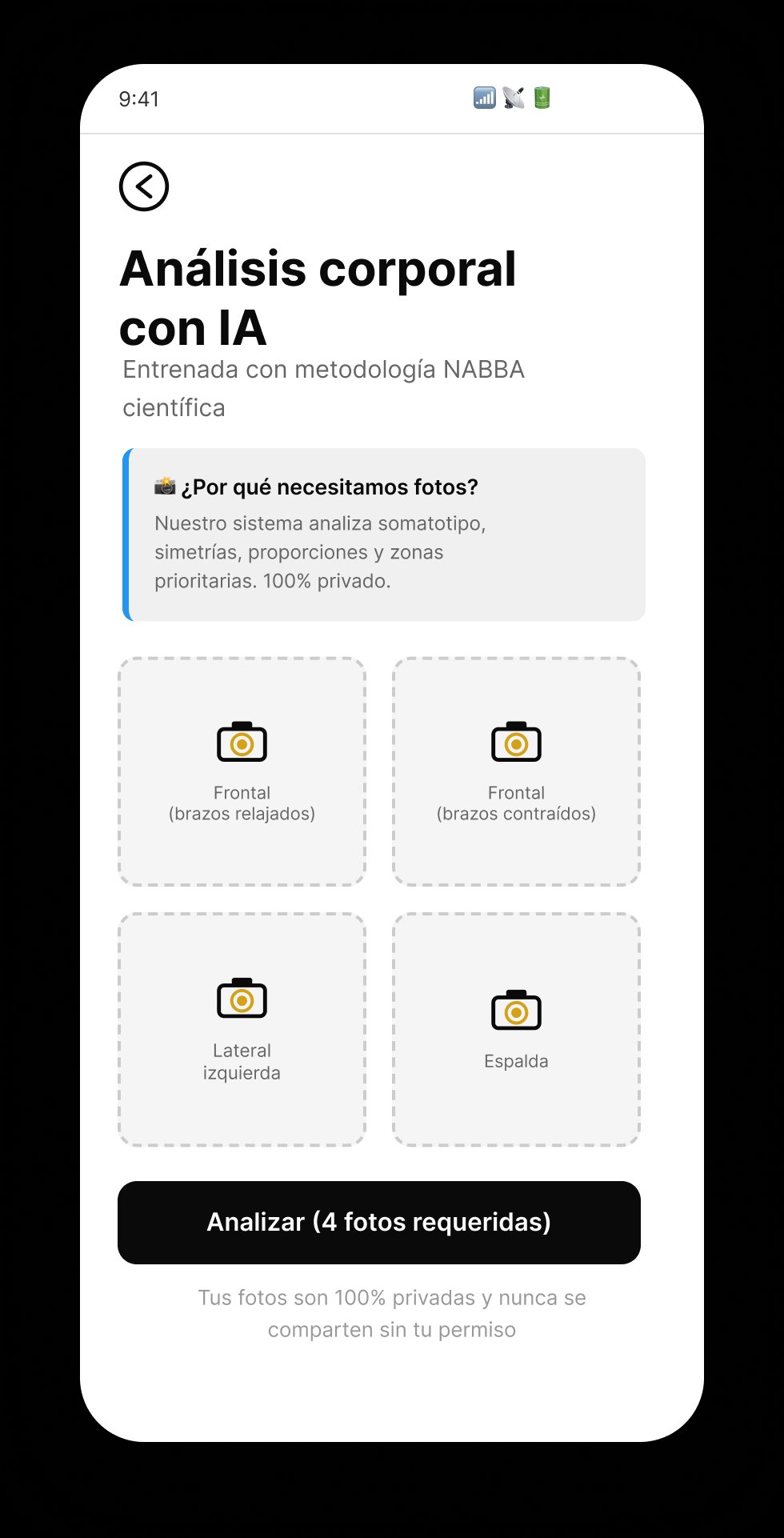
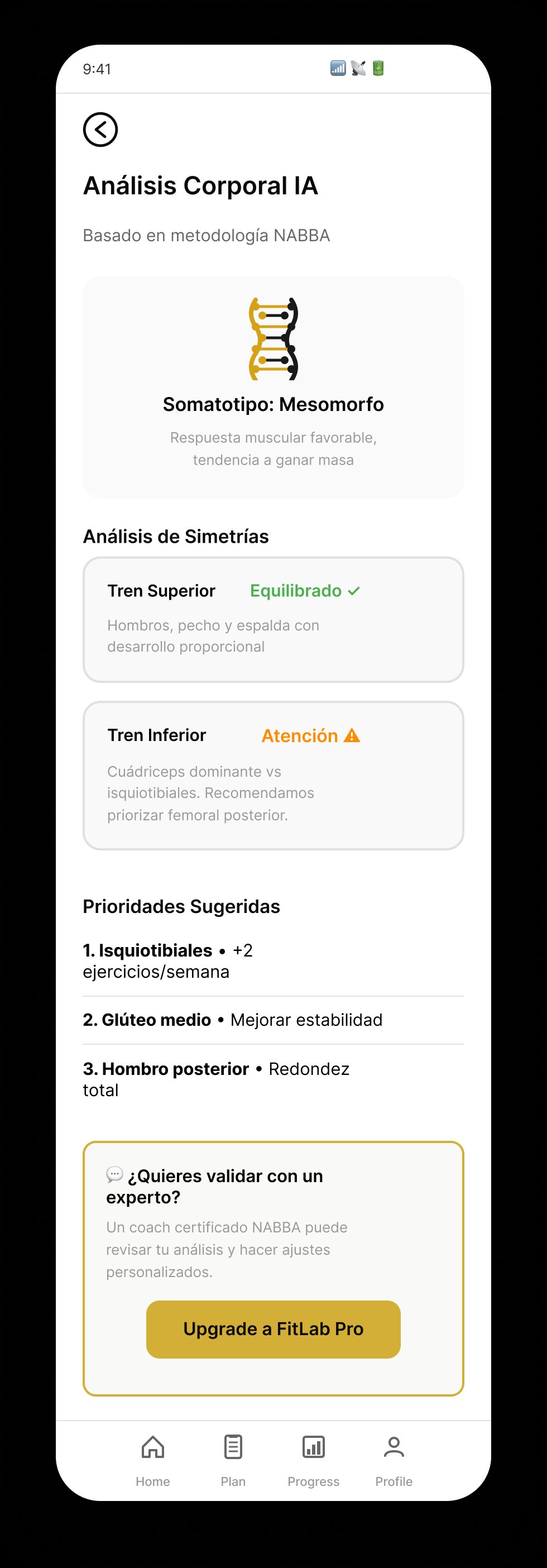
    User uploads 4 NABBA-standard photos (frontal relaxed, frontal flexed, lateral, back). The AI returns somatotype classification, symmetry analysis, and prioritized muscle groups — in under 2 minutes. On Pro, a certified coach reviews the output before it reaches the user.

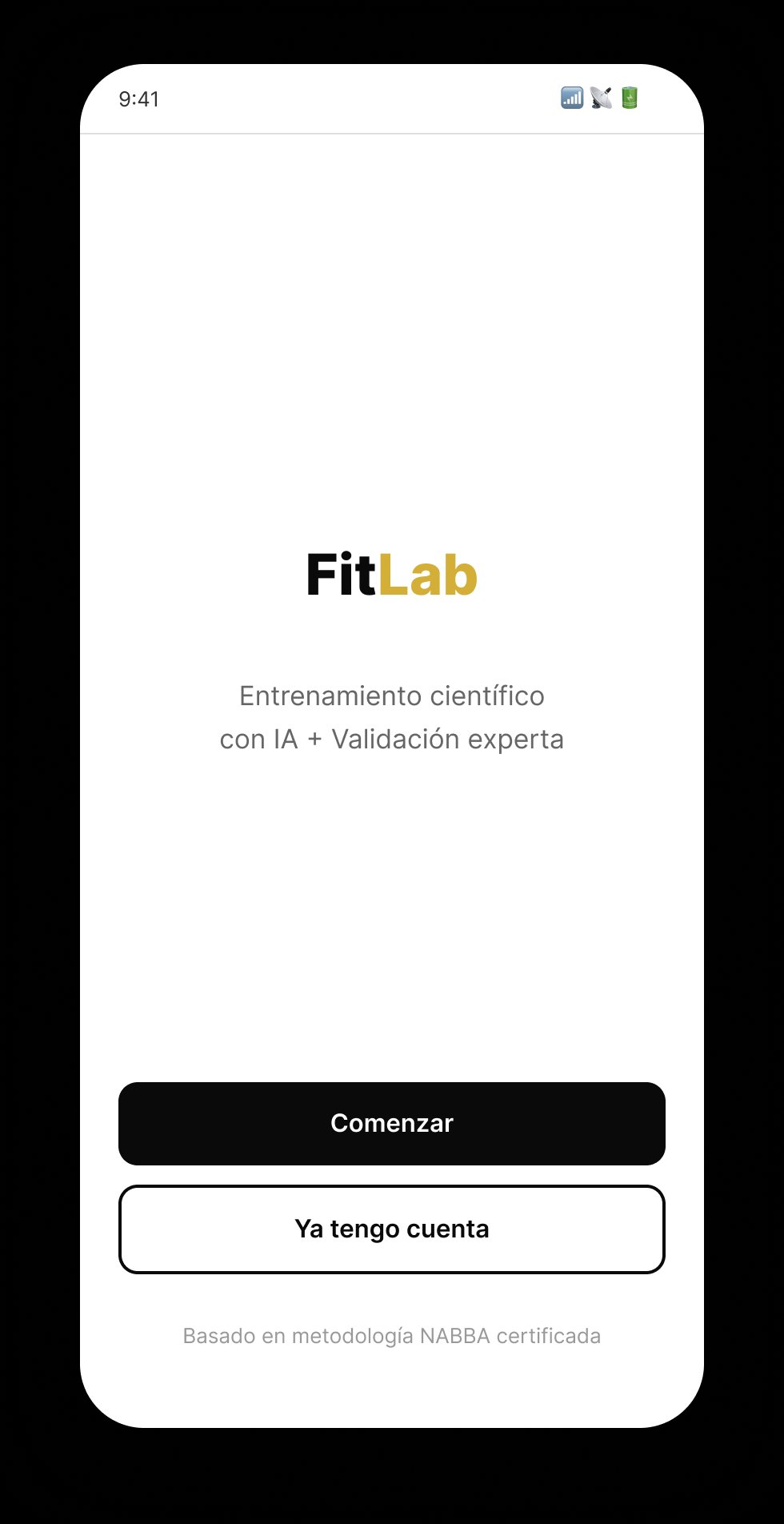
    Welcome screen
    Welcome · NABBA-certified onboarding
    Photo upload
    Upload · 4 NABBA poses required
    AI analysis result
    Result · Somatotype + symmetry analysis
    02

    Log a set in under 2 taps

    Closes the gap: "registration kills the hab — if it's more than 2 taps, I quit"

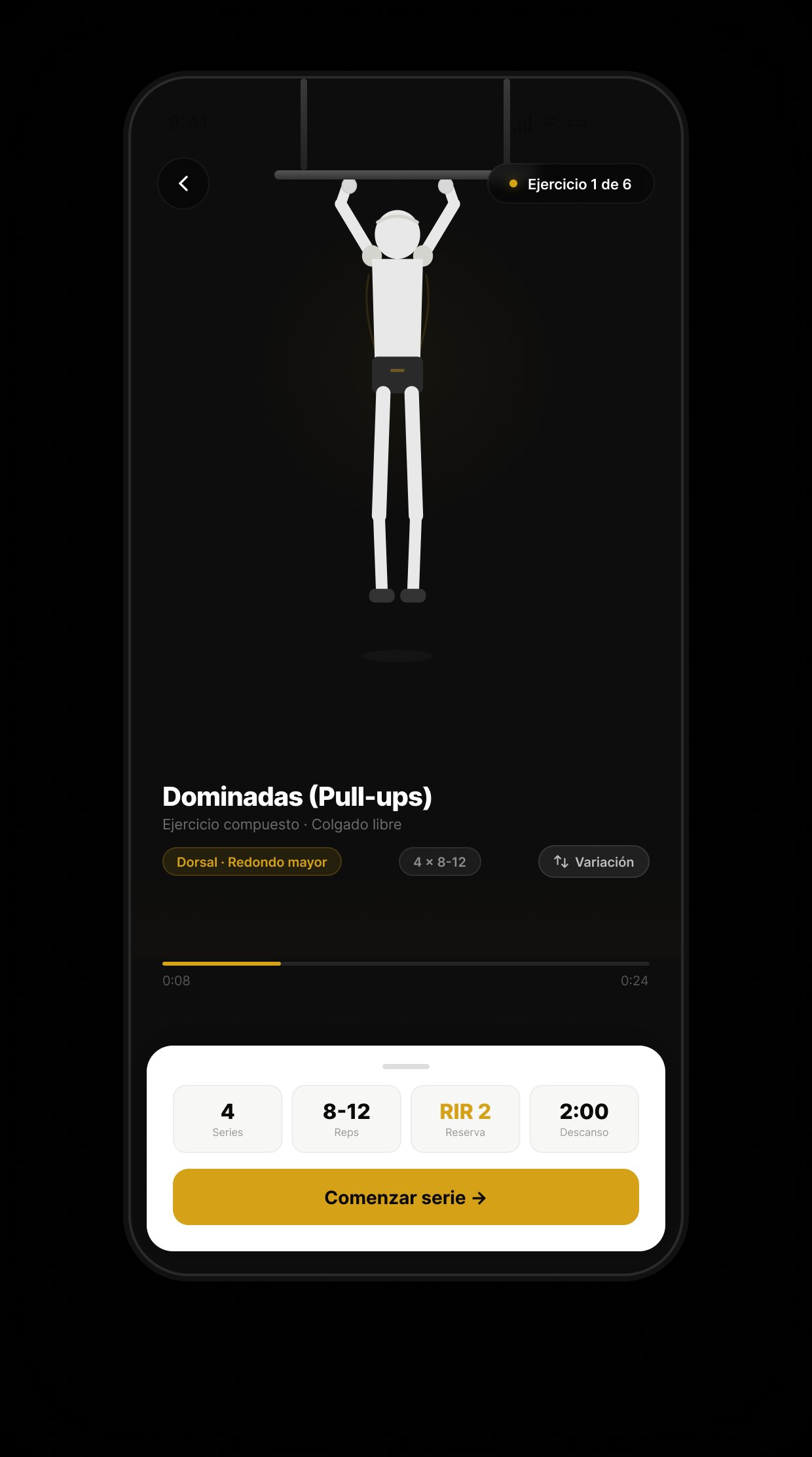
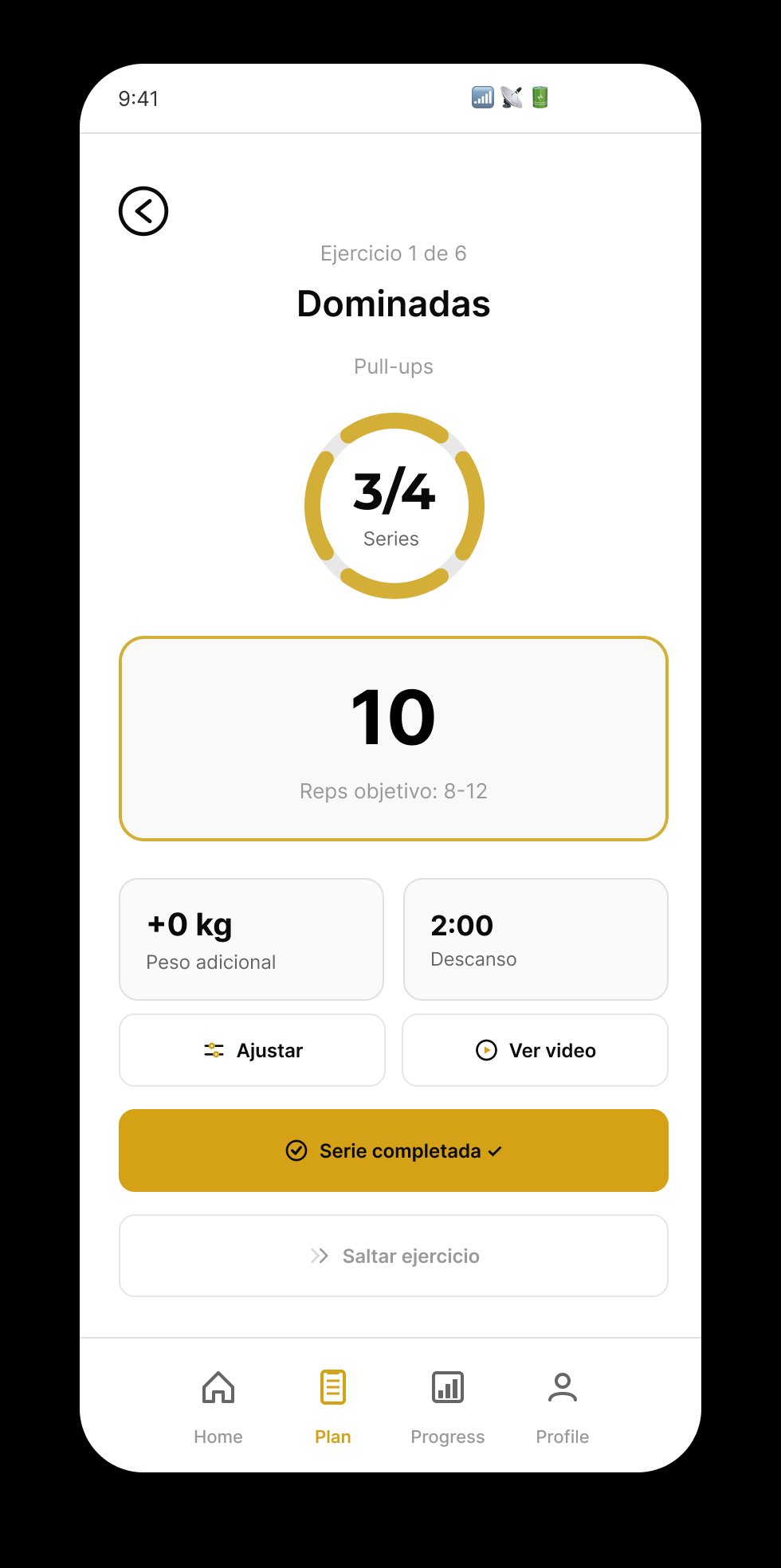
    The fastest set-logging flow I could design. A dark focus mode hides every distraction except the current set — technique animation, rep target, rest timer. Tap once to log, tap once to start the next set. Two taps, zero friction.

    Exercise list
    Exercise list · muscle tags + RIR targets
    Dark focus mode
    ★ HERO · Dark focus mode
    Zero distractions during active set
    Active set
    Active set · reps + weight + rest in one screen
    03

    See your body change

    Closes the gap: "80% of users abandon in 2 months because they don't see changes"

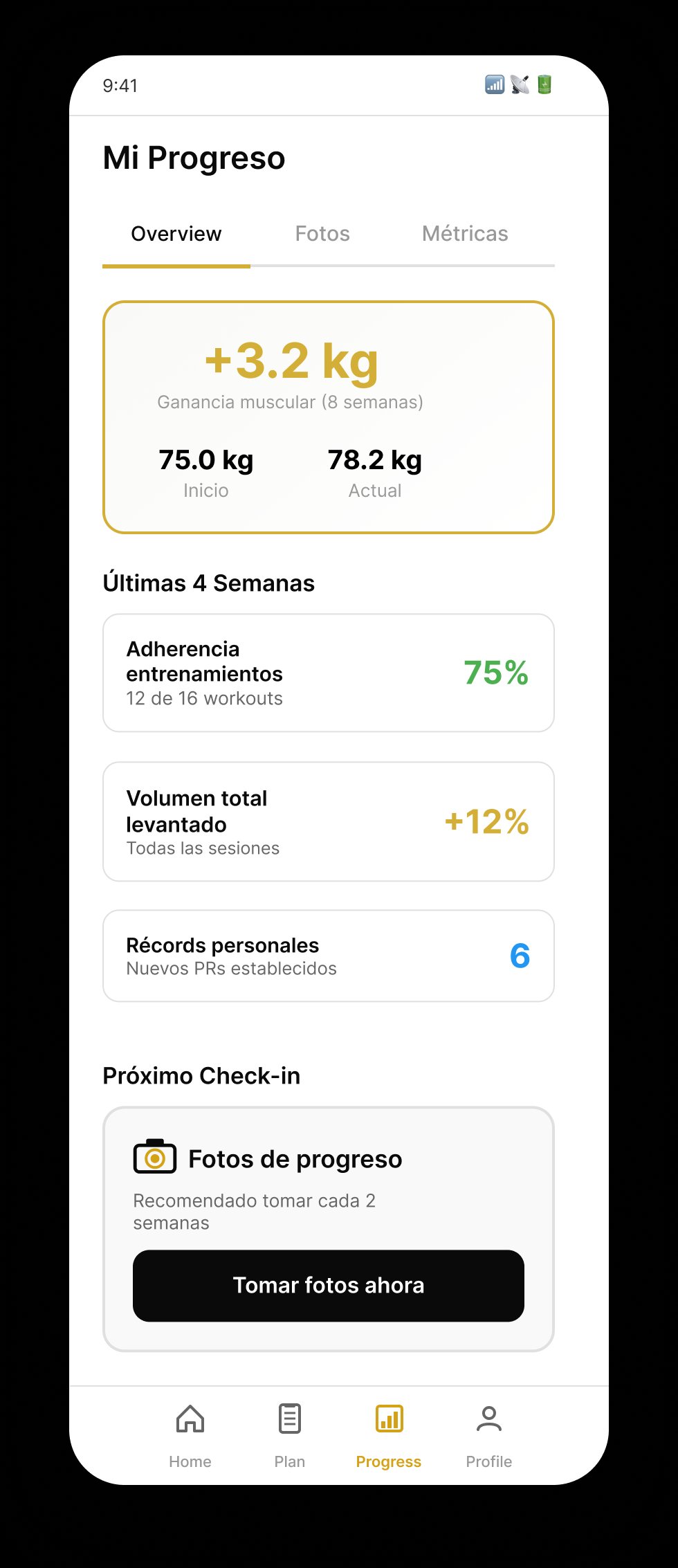
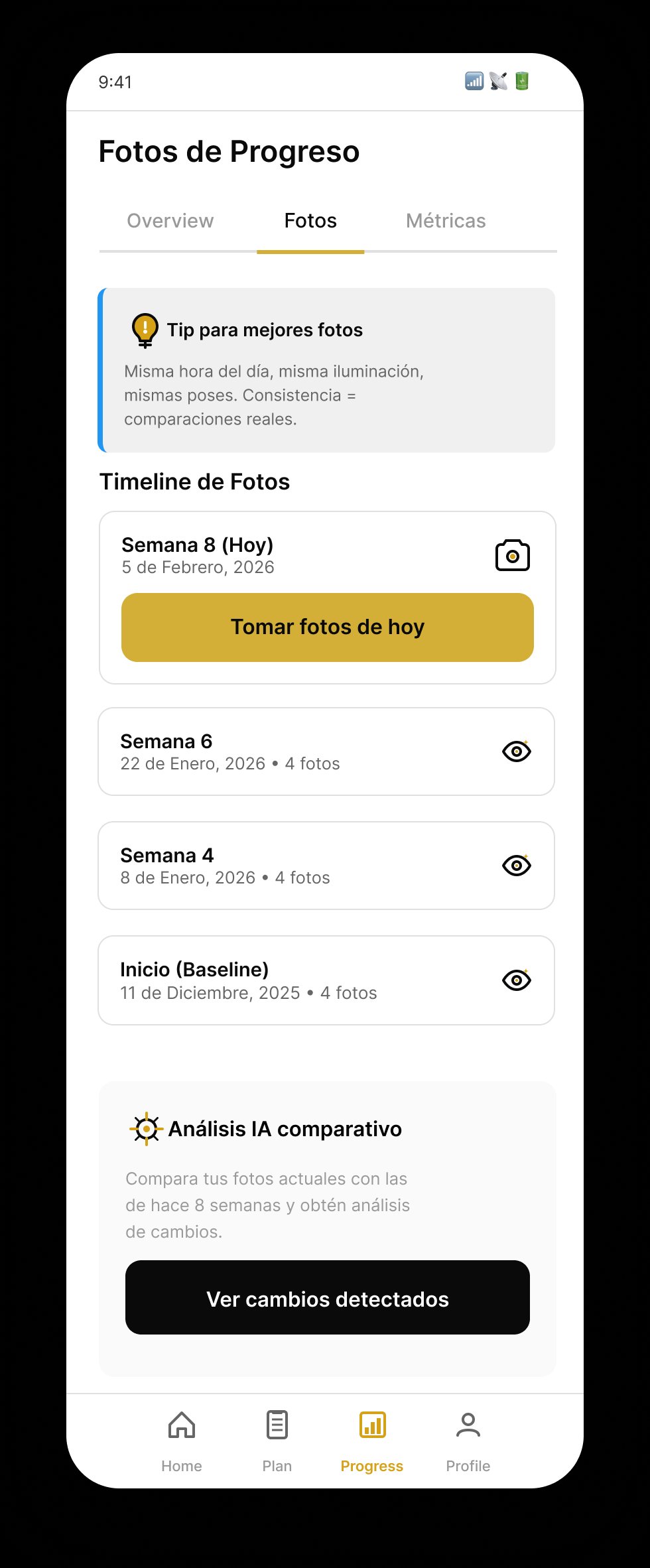
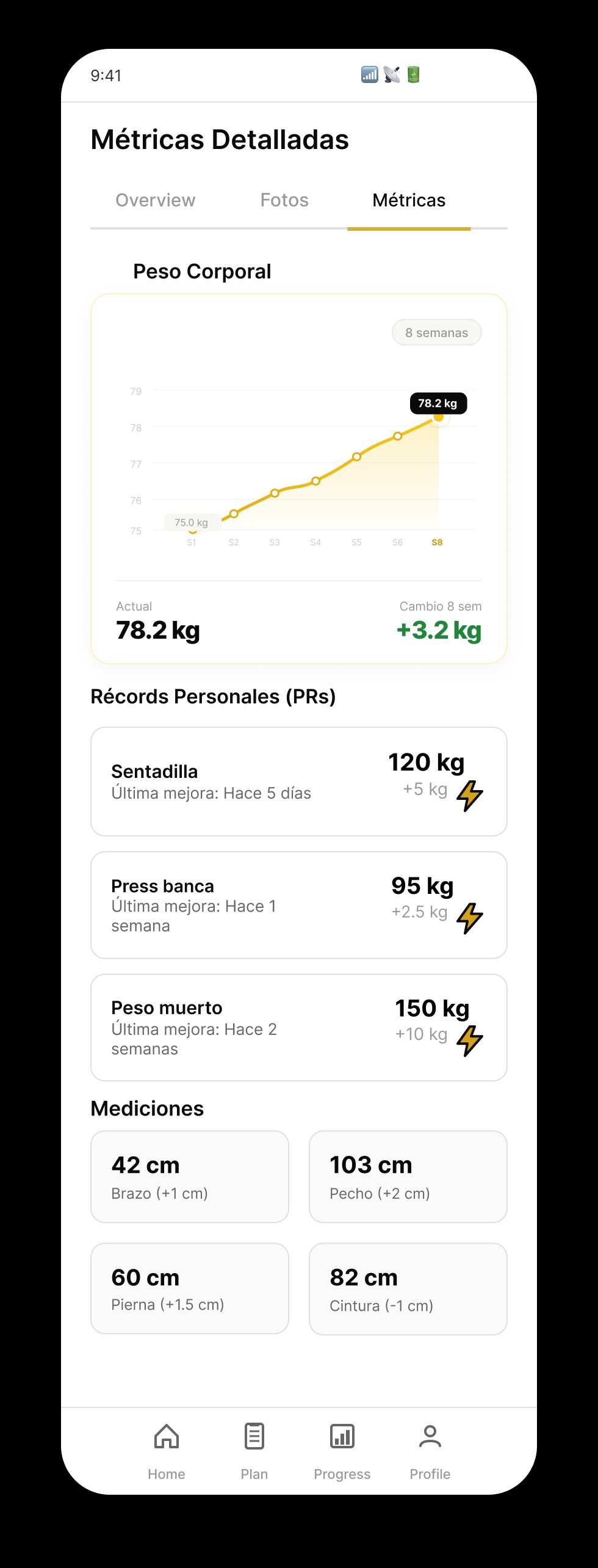
    Progress isn't one metric — it's three. Strength data (PRs, volume, adherence), visual evidence (photo timeline with AI-detected changes), and body measurements (weight curve, circumference by segment). Each view feeds a different motivational trigger.

    Progress overview
    Overview · +3.2 kg in 8 weeks
    Photo timeline
    Photos · AI-compared timeline
    Detailed metrics
    Metrics · PRs + body measurements

    05 · UI SHOWCASE

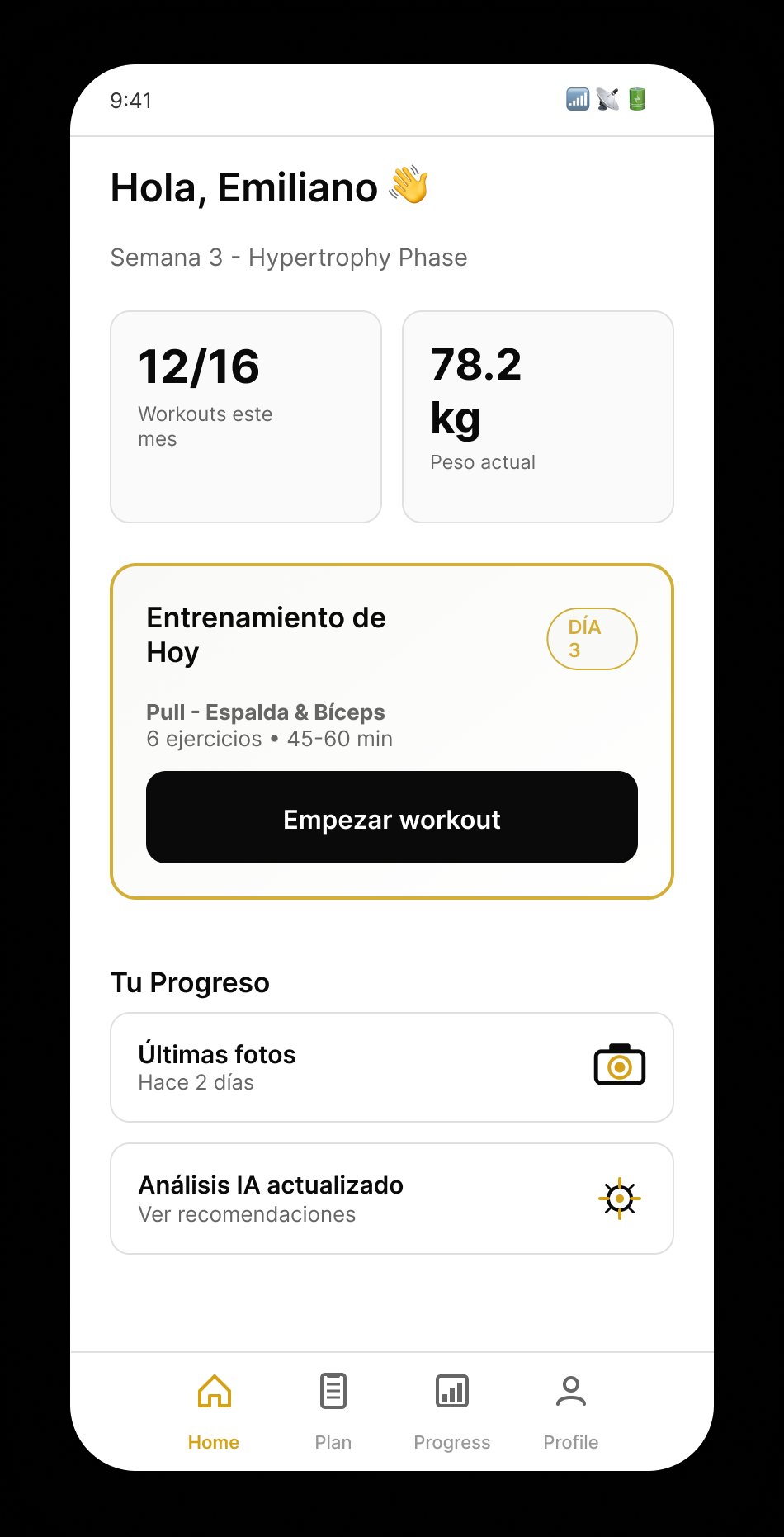
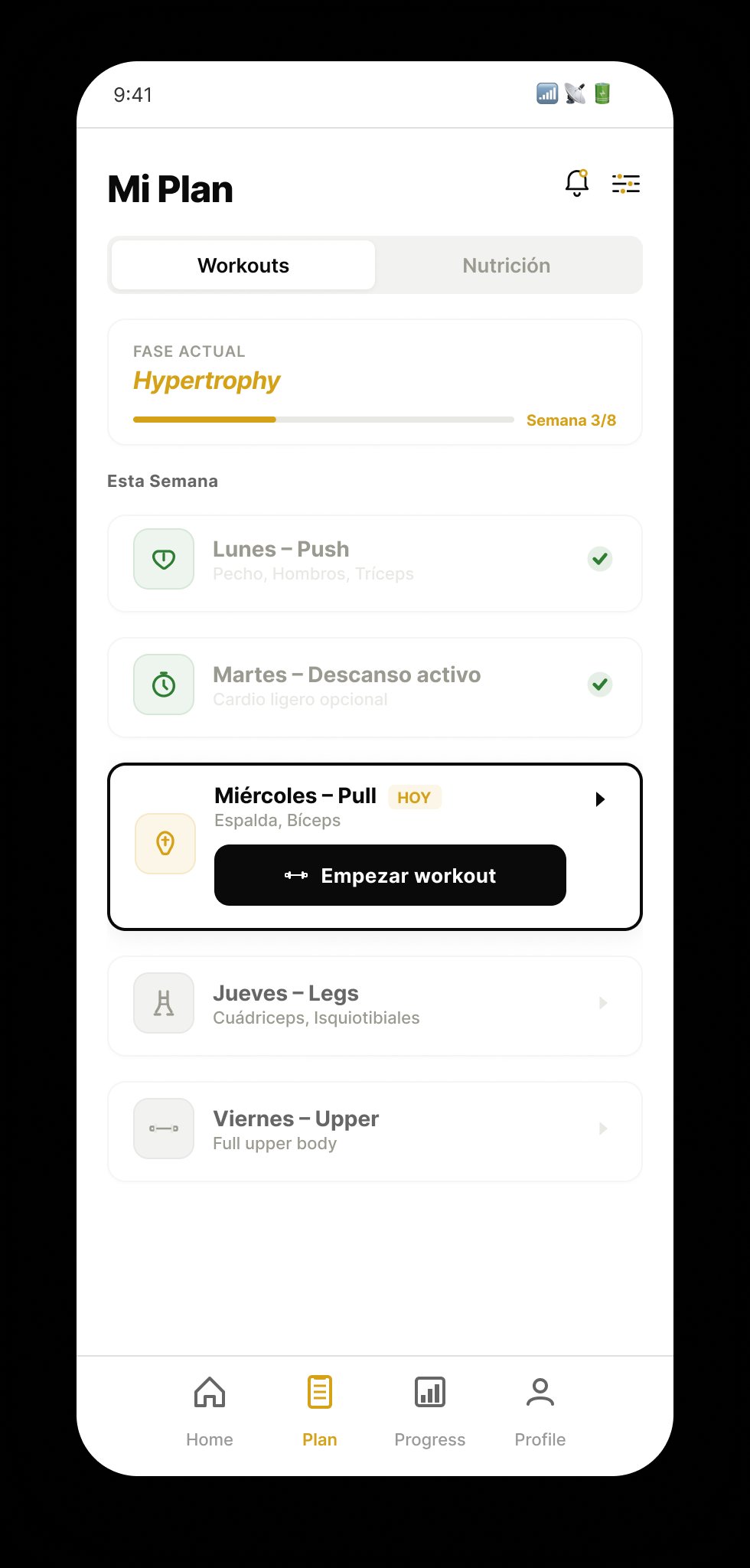
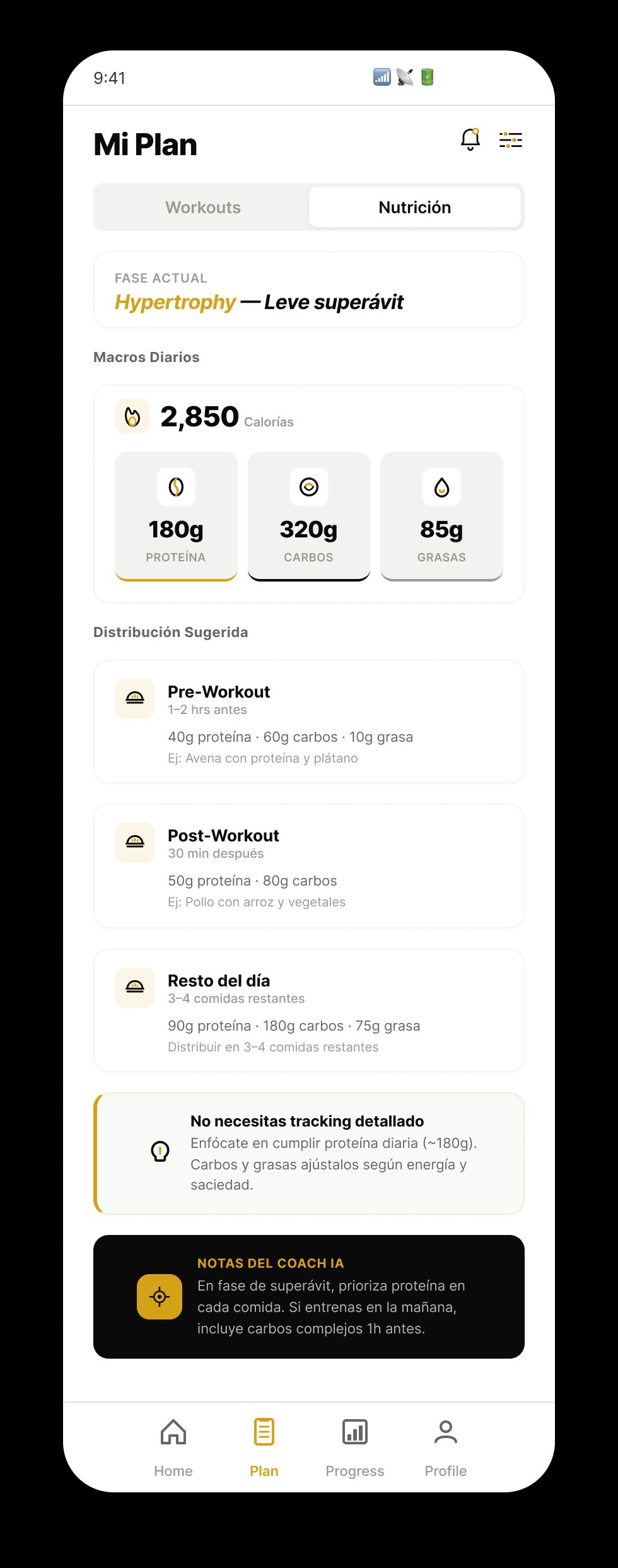
    17 hi-fi screens — every one traced back to a frame in the Raw UX Flux, refined with insights from the research corpus, and built with a single component library under a documented token system.

    Motion design · The first 3 seconds

    This is what the user sees the moment they open FitLab. A liquid-glow onboarding entry — logo reveal, staggered brand gradient, ambient particles — designed to set a "scientific but warm" tone before the onboarding flow even begins. Built entirely in HTML + CSS (no video, no GIF) so it stays crisp on any device.

    MOTION · ONBOARDING ENTRY

    The splash that opens the app

    Runs once on every cold start. The logo enters staggered — "Fit" in white first, "Lab" in the brand gold gradient with a 300ms delay — then a gold line expands underneath and the tagline fades up. Total duration: 2.4 seconds. Designed to feel fast but intentional.

    • Staggered letter reveal · 300ms delay between "Fit" and "Lab"
    • Liquid glow core · radial gradient behind the logo
    • Ambient particles · 8 gold sparks float up and fade
    • Gold line expand · 120px horizontal line grows from the center
    • Tagline fade-up · "SCIENTIFIC TRAINING" in Press Start 2P at 1.8s
    FitLab
    SCIENTIFIC TRAINING
    Live · HTML + CSS motion prototype

    The full product · 17 hi-fi screens

    Organized by flow: onboarding, dashboard + AI analysis, plan, workout session, progress tracking, profile.

    Grounded in NABBA methodology

    Every scientific decision in the product — from the 4-pose photo protocol to the somatotype classification (Ectomorph / Mesomorph / Endomorph) — follows the National Amateur Body-Builders Association standard for natural physique development. This isn't a marketing label; it's the basis for why trainers in the research corpus trusted the output.

    Certification
    NABBA
    Natural Body-Builders Association · International scientific standard
    Method
    Somatotype Classification
    Ectomorph · Mesomorph · Endomorph — with symmetry + proportion analysis
    Protocol
    4 Photos · <2 min
    Frontal relaxed · frontal flexed · lateral · back — automated analysis

    06 · DIFFERENTIATORS, RESULTS & LEARNINGS

    Six features that — together — no competitor in the fitness market offers today. I benchmarked MyFitnessPal, Strong, Dr. Muscle, Caliber, and Hevy; each solved one or two of these. None solved all six.

    Pro Tier · Anchor differentiator

    1-on-1 human validation — the feature competitors can't replicate

    On the Pro tier, a NABBA-certified coach reviews the AI output before the plan activates and schedules a 1-on-1 video session every 4 weeks. This is what turns FitLab from "another AI app" into a hybrid product with a defensible moat.

    NABBA Certified IA + Human
    Coach NABBA · Live NABBA CERTIFIED Training Plan Day 1 · Pull Day 2 · Push Day 3 · Legs Progress Chart W1 W2 W3 W4 NABBA validated plan 1:1 LIVE SESSION every 4 weeks IA Analysis reviewed by coach Plan activated Sync w/ calendar

    NABBA AI analysis

    First app to implement NABBA methodology digitally. 4 photos → somatotype + priority muscle groups in under 2 minutes.

    Certified coach validation

    On Pro, a NABBA-certified coach reviews the AI output before the plan activates. The trust layer that makes the whole product credible.

    AI photo comparison

    The algorithm compares photos from different weeks and detects muscular changes the eye can't: relative volume, symmetry, segmental proportion.

    Adaptive periodization

    The plan adjusts volume, intensity, and exercises based on actual adherence, recorded PRs, and progress metrics. Never a static plan.

    Nutrition by phase

    Macros calculated and adjusted per training phase (bulk, cut, maintenance). Synchronized with the workout calendar automatically.

    Excel export (Pro)

    Pro users export full training, nutrition, and body-metric histories. Designed for coaches and advanced athletes who need external analysis.

    Results · what the sprint delivered

    17
    Hi-fi screens
    with auto-layout + tokens
    100%
    Task completion
    in usability testing
    <2
    Taps to log a set
    in focus mode
    3
    Subscription tiers
    designed in parallel

    Learnings · what I'd take to v2

    AI needs to explain itself

    Users wanted to know why the AI was recommending specific exercises. In v2, contextual micro-explanations go in every recommendation.

    Onboarding: less is more

    The photo-analysis flow felt intimidating for beginners. High-value steps need more context and gradual progression — not fewer screens.

    Freemium defines the whole UX

    Designing 3 product tiers in parallel was the hardest part of the sprint. Business model can't be a last-minute decision — it shapes every flow.

    Logging should disappear

    Every second the user thinks about the app mid-workout is a second they're not training. The best fitness UX is the one you don't notice.

    UX ResearchIn-depth InterviewsAffinity Mapping PersonasPaper WireframingHi-fi Design Design SystemDesign TokensMotion Design PrototypingUsability TestingNABBA Domain AI + Human Validation

    KEEP READING

    Two more case studies — a published B2B SaaS redesign and self-initiated research on Spotify.